Workspace Update
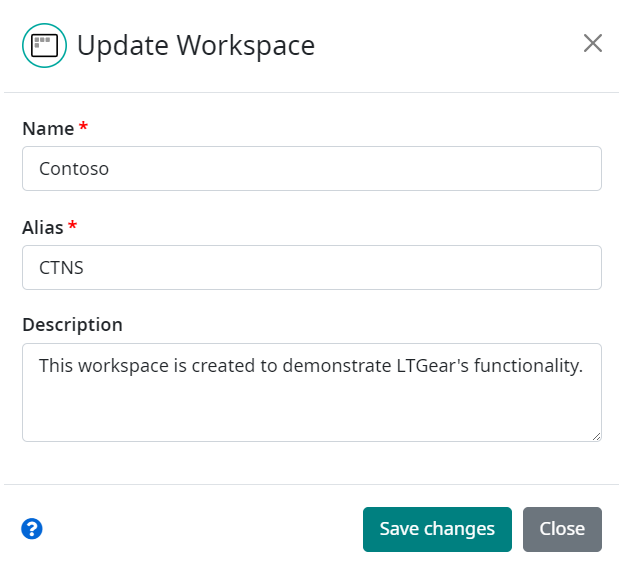
Workspace metadata can be updated using the dialog box accessible via the Update button on the Workspaces setting page. Here, the owner can change the Name, Alias and Description for the selected workspace.
Note
Note that by changing the alias of the workspace, aliases of all related configurations are immediately changed to use the new prefix.
Note
Note that the alias must be unique! The value of the assigned alias is validated and if it already exists in Companion, the user is notified and the workspace is not updated.
For more information about aliases see the Aliases section in Companion Fundamentals.
Name of the workspace and Alias are mandatory fields and must be filled in.
The dialog also provides options to enable or disable specific features for the workspace. Each checkbox allows you to control availability of a particular feature:
Disable MT - disables Machine Translation functionality
Disable Evaluation - disables Automated Evaluation functionality
Disable Human Evaluation - disables Human Evaluation functionality
Disable Language - disables Language functionality
These settings apply to the active (selected) workspace and can be modified at any time to adjust which features are available.
When all necessary changes are made, just click on the Save changes button to save them.